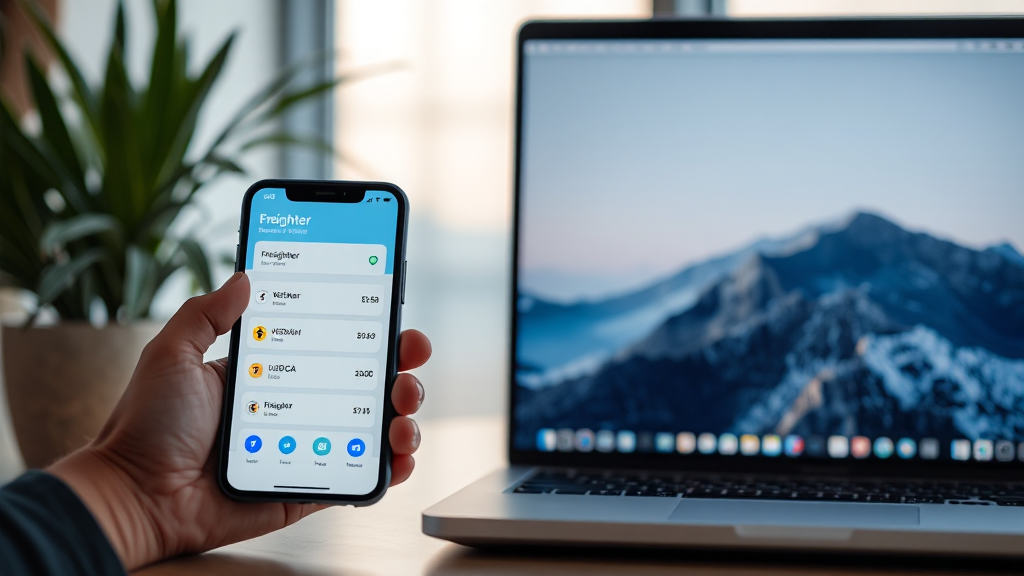
How the Freighter Wallet App Simplifies Stellar Asset Management
Managing digital assets can feel overwhelming, especially when you’re trying to interact with decentralized applications while keeping your funds secure. For those active on the Stellar network, the freighter wallet app has emerged as a go-to solution, offering a seamless bridge between everyday users and the growing ecosystem of Stellar-based tools. Unlike many wallets that force you to choose between convenience and control, Freighter is designed to deliver both, making it a compelling choice for newcomers and experienced crypto users alike.
In this guide, we’ll explore what makes Freighter stand out, how it works, and why it has become an essential tool for anyone looking to manage Stellar assets like XLM and USDC. Whether you’re sending payments, exploring Stellar apps, or simply holding assets, understanding this wallet’s capabilities can help you make the most of the network.
What Is the Freighter Wallet App?
Freighter is a non-custodial wallet built specifically for the Stellar blockchain. It is available as a browser extension and a mobile application, allowing users to store, send, and receive Stellar-based assets directly from their devices. The name “Freighter” reflects its role in transporting value across the Stellar network, much like a cargo ship moves goods across oceans—though in this case, the cargo is digital.
Because Freighter is non-custodial, you retain full control of your private keys. The wallet never holds your funds or your secrets; instead, it generates a secure seed phrase that you must store safely. This design aligns with the core philosophy of decentralized finance: you are your own bank.
One of the standout features of Freighter is its integration with Stellar apps. Through the wallet, you can connect to a variety of decentralized applications (dApps) built on Stellar, such as lending platforms, token issuance tools, and payment services. This makes Freighter not just a storage solution but a gateway to the entire Stellar ecosystem.
Key Features of Freighter
Freighter packs a surprising number of features into a clean, user-friendly interface. Here are some of the most notable:
- Non-Custodial Security: Your private keys never leave your device. Freighter encrypts them locally and requires your password or biometric authentication to access them.
- Multi-Asset Support: Beyond the native lumen (XLM), Freighter supports any asset issued on the Stellar network, including stablecoins like USDC and custom tokens.
- Built-In Swap Function: You can exchange assets directly within the wallet, using Stellar’s decentralized exchange (DEX) to get competitive rates without leaving the app.
- dApp Browser: For the browser extension, you can connect to Stellar apps with a single click, making it easy to interact with protocols like AMMs, NFT marketplaces, and more.
- Hardware Wallet Support: For enhanced security, Freighter can be paired with Ledger hardware wallets, allowing you to sign transactions without exposing your private keys to the internet.
- Account Management: Create multiple accounts within the same wallet, each with its own public address and balance, perfect for separating personal and business funds.
These features combine to make Freighter a versatile tool, whether you’re a trader, a developer, or just someone who wants to hold Stellar assets securely.
Why Choose a Stellar-Specific Wallet?
You might wonder why you should use a wallet built for Stellar when there are multi-chain wallets available. The answer lies in optimization. A dedicated wallet like Freighter is tailored to the Stellar network’s unique features, such as its built-in DEX, path payments, and asset issuance capabilities. This means you get a smoother experience, faster transaction times, and access to features that generic wallets often miss.
Moreover, Stellar’s consensus protocol is designed for speed and low cost, making it ideal for everyday transactions. Freighter leverages this by providing a simple interface for sending payments that settle in seconds with minimal fees. For example, sending USDC across borders can be done in a few clicks, with the transaction completing almost instantly.
Another advantage is the tight integration with Stellar’s ecosystem. Many Stellar-based apps have been developed with Freighter in mind, so you’ll find that connecting your wallet is often as simple as clicking a button. This ease of use is a major reason why the freighter wallet has become the preferred choice for Stellar users.
How to Get Started with Freighter
Getting started with Freighter is straightforward. Here’s a step-by-step guide to help you set up your wallet in minutes.
1. Install the Wallet
Visit the official Freighter website or your browser’s extension store to download the wallet. Freighter is available for Chrome, Firefox, and Edge, as well as iOS and Android devices. Always download from the official source to avoid phishing scams.
2. Create a New Wallet
Once installed, open the wallet and select “Create a new wallet.” You’ll be prompted to create a password, which will be used to encrypt your local data. Make sure to choose a strong password and store it in a password manager.
3. Back Up Your Recovery Phrase
The next step is critical: Freighter will generate a 12-word recovery phrase. Write it down on paper and store it in a secure location. Never share this phrase with anyone, and never store it digitally in an unencrypted file. This phrase is the only way to recover your wallet if you lose access to your device.
4. Fund Your Account
To start using Stellar, you’ll need to fund your account with a small amount of XLM to cover the minimum balance and transaction fees. You can purchase XLM on an exchange and send it to your public address, which you can find in the Freighter interface.
5. Explore the Ecosystem
Once your account is funded, you can begin exploring Stellar apps. Use the built-in browser to visit platforms like StellarX or LumenSwap, and connect your wallet to start trading, providing liquidity, or using other services.
Remember to always verify that you’re on the correct website before connecting your wallet, as phishing attempts are common in the crypto space.
Security Best Practices for Using Freighter
While Freighter is designed with security in mind, the safety of your assets ultimately depends on your habits. Here are some best practices to follow:
- Keep Your Recovery Phrase Offline: Write it on paper and store it in a safe deposit box or another secure location. Avoid taking screenshots or storing it in cloud services.
- Use a Hardware Wallet for Large Holdings: If you hold significant amounts of crypto, consider connecting a Ledger device to Freighter. This adds an extra layer of security by keeping your private keys offline.
- Beware of Phishing Sites: Always double-check the URL of any site you’re connecting to. Malicious actors often create fake versions of popular dApps to steal your funds.
- Keep Your Software Updated: Freighter regularly releases updates that patch security vulnerabilities. Enable automatic updates or check for new versions periodically.
- Use Unique Passwords: Your Freighter password should be unique and not used for any other service. Consider using a password manager to generate and store strong passwords.
By following these practices, you can minimize the risk of losing your assets to theft or human error.
Frequently Asked Questions
Is the Freighter wallet app free to use?
Yes, Freighter is completely free to download and use. The only costs you’ll incur are the network transaction fees on Stellar, which are typically a fraction of a cent. If you use the built-in swap function, you may also pay a small trading fee, but that goes to the liquidity providers, not to Freighter.
Can I use Freighter to store assets other than XLM?
Absolutely. Freighter supports any token issued on the Stellar network, including USDC, USDT, and a wide range of custom assets. You can add tokens by searching for their asset code and issuer, or they may appear automatically when you receive them.
What happens if I lose my device?
If you lose your device, you can recover your wallet using your 12-word recovery phrase. Simply install Freighter on a new device and select “Restore from recovery phrase.” Enter your phrase, and your wallet will be restored, including all your balances and transaction history.
Does Freighter support hardware wallets?
Yes, Freighter supports Ledger hardware wallets. You can connect your Ledger device to Freighter and use it to sign transactions, providing an extra layer of security. This is particularly useful for large holdings or when interacting with unfamiliar dApps.
Can I create multiple accounts in Freighter?
Yes, you can create multiple Stellar accounts within the same Freighter wallet. Each account has its own public address and key pair, allowing you to organize your funds for different purposes, such as personal use, business, or specific projects.
Conclusion
The freighter wallet app represents a significant step forward in making Stellar blockchain technology accessible to everyone. Its combination of security, ease of use, and deep integration with the Stellar ecosystem makes it an invaluable tool for both newcomers and seasoned users. By taking control of your private keys and embracing the non-custodial philosophy, you can participate in the decentralized economy with confidence.
Whether you’re sending payments across the globe, swapping assets on the built-in DEX, or exploring the latest Stellar apps, Freighter provides a reliable and intuitive gateway. As the Stellar network continues to grow, having a trustworthy wallet like Freighter will only become more important. So why not give it a try? Your journey into the world of Stellar starts with a single download.